
- Employers may submit their application via e-TRiS under HRD Corp Claimable Courses Scheme.
- Applications must be submitted by employers to HRD Corp for approval, at least one (1) day before training commences.
- Invoice/Quotation of Course Fee / Transportation (if any)
- Trainer’s Profile
- Course Content/ Program Outline
1) Login to Employer’s eTRiS account
2) Click Application
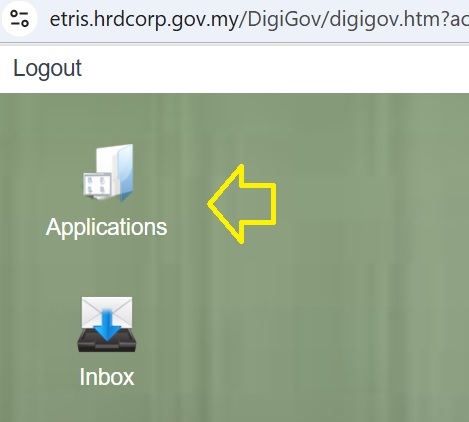
3) Click Grant on the left side under Applications > Apply Grant

4) Click Apply > Choose a Scheme Code and select HRD Corp Claimable Courses: Skim Bantuan Latihan Khas. Then, click Apply.

Scheme Code
Scheme code represent all type of training that suites with the requirement provided by HRD Corp, below is the list of the scheme offered by HRD Corp & we shall choose [HRD CC: HRD Corp Claimable Courses]
- Alat : Training Facilities and Renovation
- CBT : Computer Based Training
- FWT : Future Workers Training Scheme
- IT : Information Technology
- ITS : Industrial Training Scheme
- OJT : On The Job Training
- RPL :Recognition Prior Learning
- SBL : Skim Bantuan Latihan
- HRD CC: HRD Corp Claimable Courses
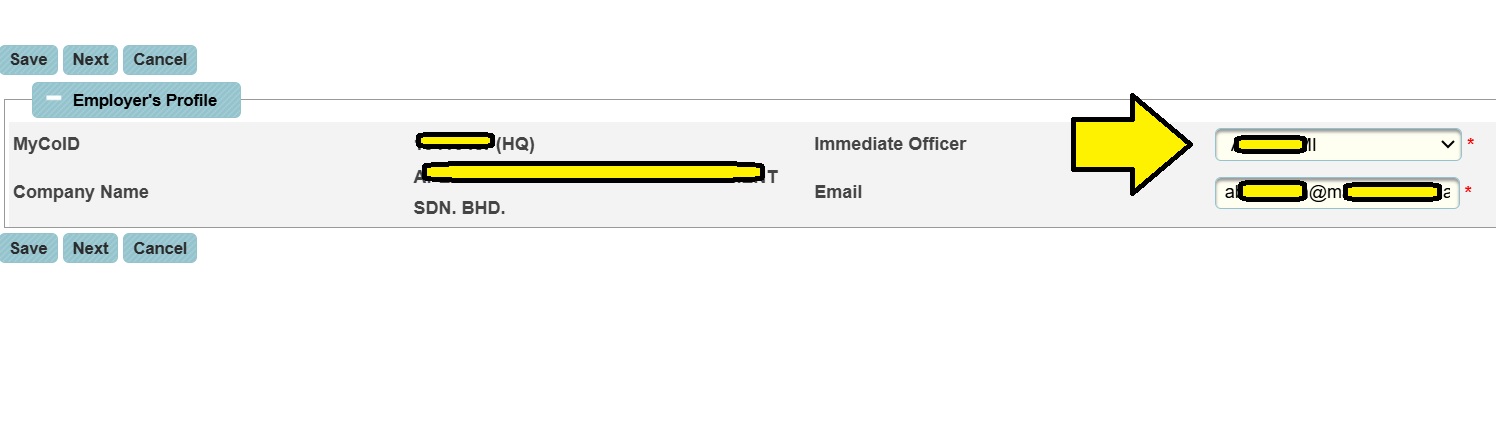
7) Select your Immediate Officer and click Next
8) Copy & paste this code MyCoID (as given in the email) and press Next.
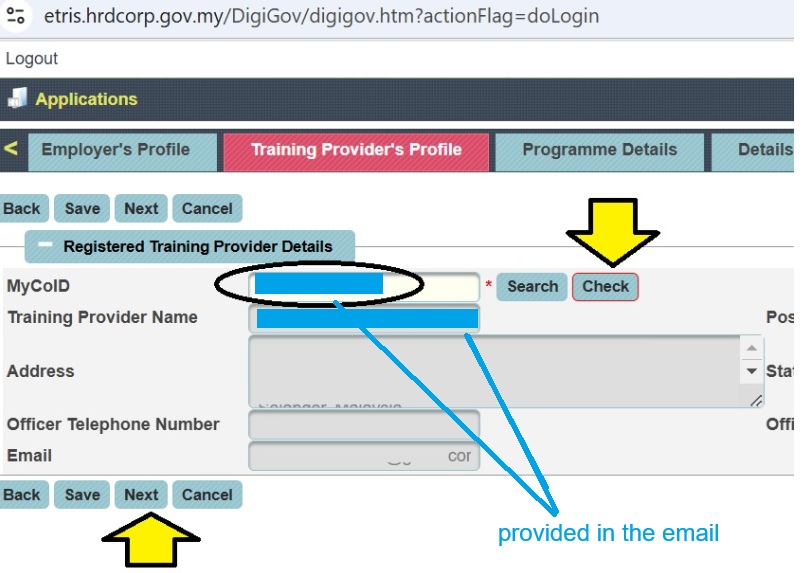
9) Please select a training programme from the list, then key in all the required details and click Next.

10) Fill up as per example


10.1) Please key in the Training Location and click Next

10.2) Select the level of Certification as appropriate and click Next

10.3) Update Trainee detail (means your team/ staff info). Please click at ‘Add Batch‘ button and then click at ‘Save‘ button before keying in the trainee details.

10.4) Upload trainee list
i) Upload the info manually, or
ii) Upload the trainee list using the given Excel template

10.5) Proceed Next when complete.

11) Key in the course fees and allowance details, then click Save.

12) Complete the declaration form and select a desired officer

12.1) Add all the required documents, then click Add Attachment. Then, click Save and Submit Application.

Once new Grant Application is successfully submitted, the Grant Officer will evaluate the application accordingly. The application may be queried if additional information is required.
The application status will be updated in the employer’s screen and also will be notified via e-mail and e-Tris inbox.